
One screen that tells you what needs doing today
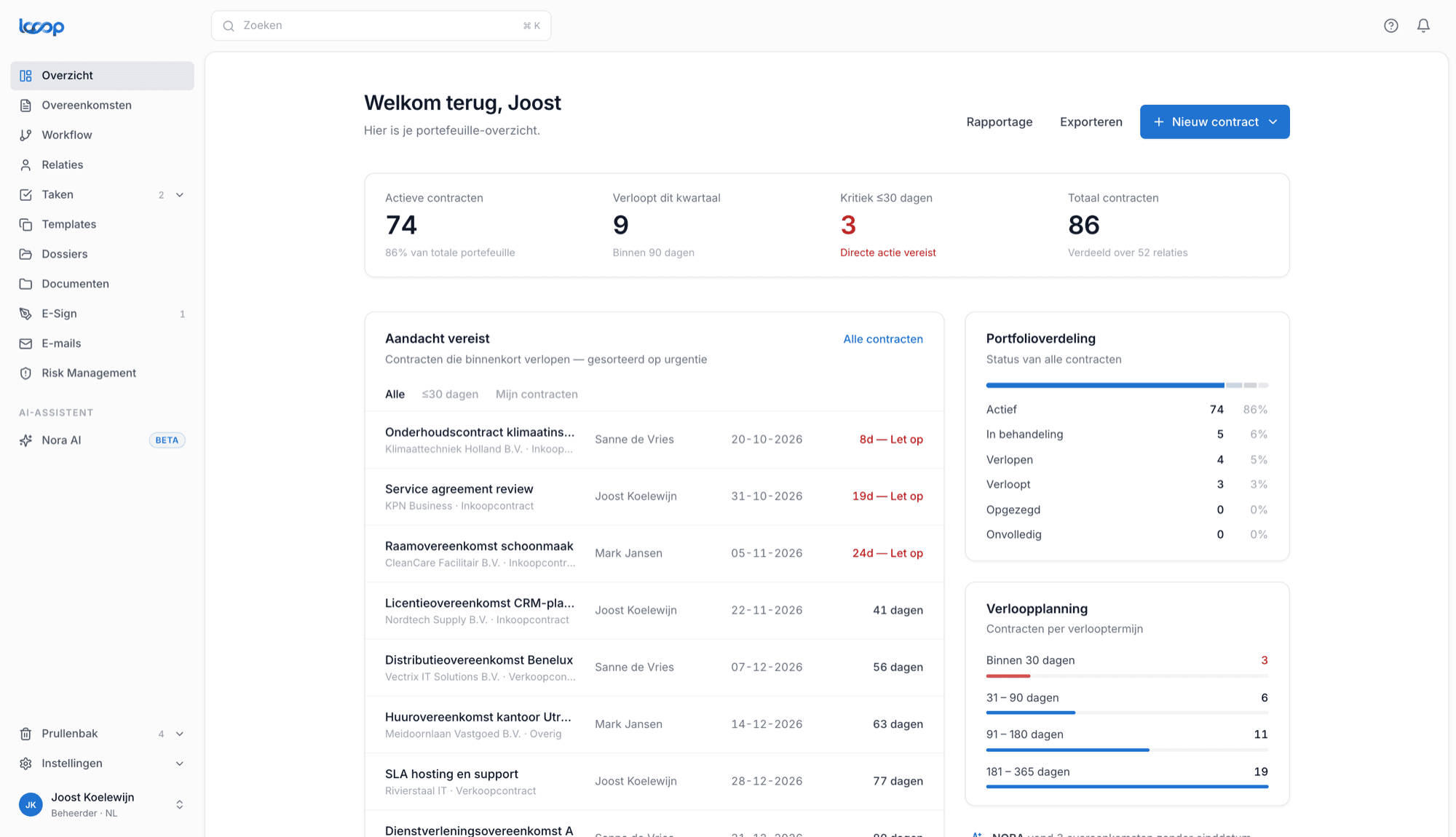
No hunting and no monthly data request. The moment you log in you see how many contracts are running, what expires soon and which tasks are waiting for you.
Knowing where you stand, without working it out
Most organisations only learn the state of their contract portfolio once someone spends an afternoon on it. The dashboard flips that: the overview is already there, every day, without anyone compiling it.
What you see straight away
Not a dashboard full of charts nobody reads, but the figures you actually act on.
Where things stand
How many contracts are active, how many expire soon and how many have already expired, at a glance.
What's coming
A timeline of what ends within 90 days, 6 months and 12 months, so renewals never arrive as a surprise.
Urgent tasks first
Tasks needing attention sit at the top, with their contract attached so you can act immediately.
Only what concerns you
Everyone sees the dashboard through their own permissions. Procurement sees different figures than legal.
Cycle times
See how long contracts take on average from draft to signature, and where the process stalls.
Click through to the source
Every number is a way in. Click through to the underlying contracts instead of going looking.
In practice
"Let me just check where we stand."
Asking how many contracts are running and what expires soon sounds simple. In practice it takes an email thread, someone exports a list, and the answer is a snapshot that's out of date a week later. Steering on contracts then means steering on stale information.
Looop's dashboard is always current because it sits directly on your contracts. What's active, what's expiring and what needs attention is permanently there. No requests, no exports, and everyone looks at the same picture.
How it works
Your contracts come in
Upload or import your agreements. NORA reads them and fills in terms and notice periods for you.
Looop keeps count
From then on Looop maintains the counts, deadlines and tasks. Nothing needs refreshing by hand.
You start at the dashboard
Every morning you see where action is needed. Not because someone made a report, but because it's simply there.
Want to see what your portfolio looks like?
In a demo we'll show the dashboard using a situation close to your own.