
The email it was all about sits with the contract
Every organisation gets its own Looop address. Put it in cc on important correspondence or forward a message, and link it to the right contract in one click.
The agreement is in the contract, the context is in someone's mailbox
Why that discount was granted, what exactly was agreed about delivery, which exception the supplier accepted by email: that is rarely in the contract itself. It is in an exchange from six months ago, in the mailbox of someone who may no longer work there.
One address, and you are done
Nothing to install and no integration to configure. Looop creates a unique email address for your organisation. From that moment anyone on your team can send mail to Looop, from whichever mail client they use.
- Works with Outlook, Gmail and every other mail client
- Attachments up to 15 MB come along automatically
- No installation, no plug-in, no IT project
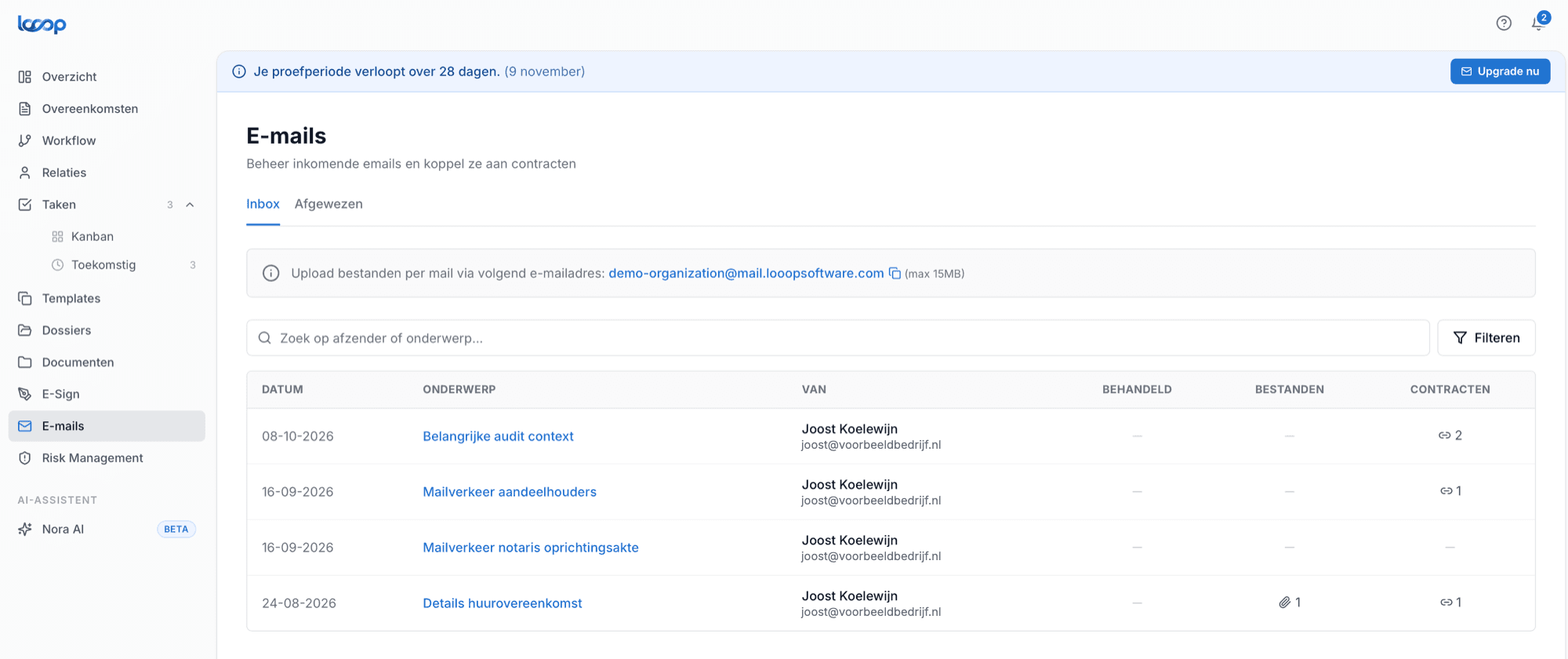
What it looks like
Every organisation gets its own address. Whatever goes there lands only in your environment.
What email integration gives you
Context that stays, even when the person leaves.
One inbox for the whole team
Everything sent to the Looop address arrives in one place, visible to everyone with access to the contract. Not in one colleague's mailbox.
Link in one click
Open a message and pick the contract it belongs to. From then on the email sits with the agreement, for everyone who opens it later.
Attachments come along
A signed annex, a revised quote or a price list: the file lands straight with the contract and does not need uploading separately.
Context survives departures
If the colleague who ran the negotiation leaves, the history stays put. Their successor can read back what was agreed.
Find it without searching
Search by sender or subject, or simply open the contract. The correspondence is attached to it.
Unknown senders stand out
If a message arrives from an address Looop does not recognise, it is flagged. You see immediately whether something needs attention.
In practice
Sound familiar?
A colleague asks why an exception to the delivery time was made last year. Nobody knows. It is not in the contract, because it was agreed by email. The colleague who handled it has left, and no one can get into their archive any more.
With email integration that message sat with the contract. Whoever opens the agreement sees not only what was signed, but also what was agreed along the way and with whom. A year later too, and long after the colleague has gone.
How it works
Grab your Looop address
You will find the address at the top of the Emails tab. Share it with your team or add it to your address book so it is at hand.
Cc or forward
Put the address in cc on correspondence that matters, or forward an existing message. Attachments come along automatically.
Link it to the contract
In the Emails tab you open the message and pick the agreement it belongs to. After that it stays there for good, for you and your colleagues.
Never hunt for what was agreed again
In a thirty-minute demo we show you how to link correspondence to your contracts, using your own situation as the example.