
Automatic alerts are the first thing people configure in a contract system, and the first thing they ignore. Usually for the same reason: the alert arrives at the wrong moment, reaches the wrong person, or carries too little information to act on.
The key rule: steer on the notice date
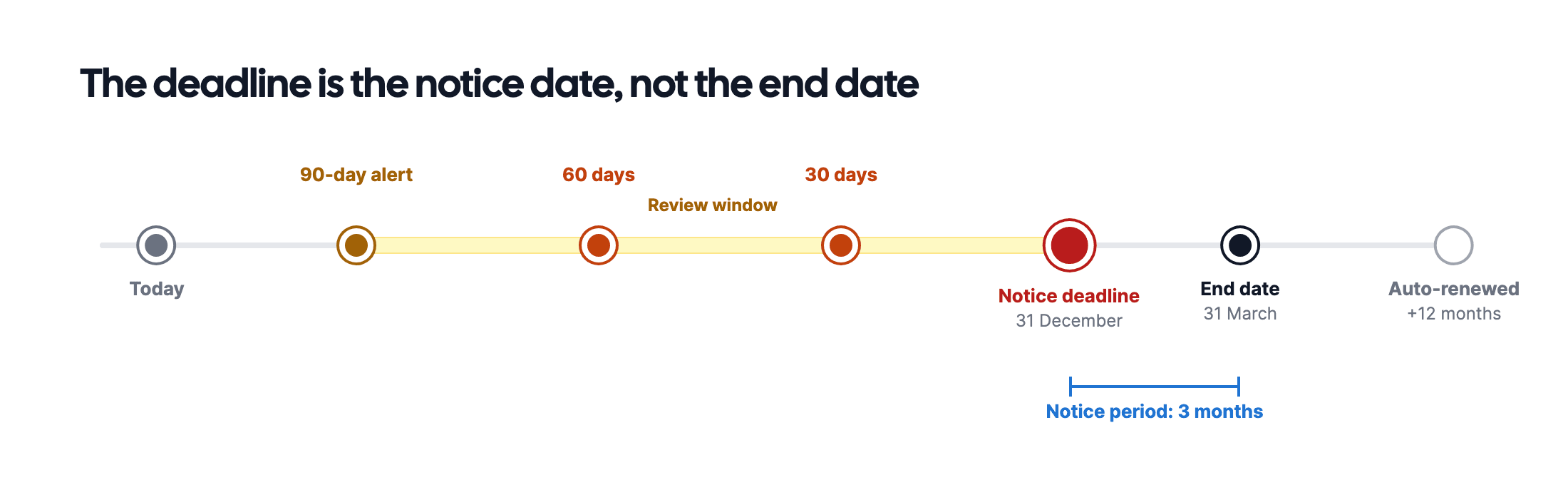
A contract runs until 31 December. The notice period is three months. An alert on 1 December is worthless: you are already two months too late.
The date you steer on is 30 September: the final date on which you can still terminate. Every lead time below is counted from that moment, not from the end date.
This is the most common mistake when configuring alerts. Set your system to the end date and you will get a nicely timed reminder about a contract you can no longer cancel.
Which lead time per contract type?
The right lead time depends on how long you need to decide and to arrange an alternative.
| Contract type | First alert | Why |
|---|---|---|
| SaaS and software | 90 days | Migration and data export take time |
| Cleaning and facilities | 90 days | Tendering and onboarding a new supplier |
| Telecom | 60 days | Switching is usually quick |
| Office lease | 12 months | Finding a new location takes long |
| Vehicle fleet | 6 months | Delivery lead times |
| Insurance | 60 days | Requesting and comparing quotes |
| Fixed-term employment | 60 days | Notification duty and a conversation |
| Framework agreements | 6 months | Often a full tender process |
Treat this as a starting point. The real criterion is: how much time do I need to be able to say no? For a service you depend on, that is longer than for a subscription you can swap out.
Why three alerts beat one
One alert is one chance to miss it. A sequence works better, because each alert serves a different purpose:
90 days: decide. Do you want to continue with this supplier? This is the moment to evaluate, request quotes and align internally.
60 days: act. Has the decision been made? Then terminate or renegotiate now. If it has not, this is your last reasonable moment.
30 days: confirm. Was notice actually given, and do you have confirmation? If not, this is an emergency signal.
For contracts with long notice periods, shift the sequence along: 12, 9 and 6 months for an office lease.
Who should receive the alert?
This goes wrong as often as the timing. Three rules:
- To a person, not a shared mailbox. An alert in
procurement@is an alert to nobody. - To the contract owner, with a second recipient. If that person is away, the second one catches it.
- To someone who can decide. An alert reaching someone who has to ask around only adds delay.
- Does every contract have a named owner?
- Is there a second recipient for when that person is away?
- Is the final notice date in the system, not just the end date?
- Does the alert contain enough to act on: amount, term, how to terminate?
- Is it recorded what was done with the alert?
- Does an ignored alert get followed up?
Those last two points separate a system that works from one that produces noise. An alert without follow-up is an email that gets dismissed.
Preventing alert fatigue
If someone receives five alerts a week, they will read none within a month. Three ways to prevent that:
- No alerts for contracts without a decision point. A rolling contract without a notice period does not need a quarterly reminder.
- Bundle per person. One overview listing five expiring contracts works better than five separate emails.
- Let the alert disappear once action is taken. Someone who has terminated should not receive the follow-up.
How to set it up
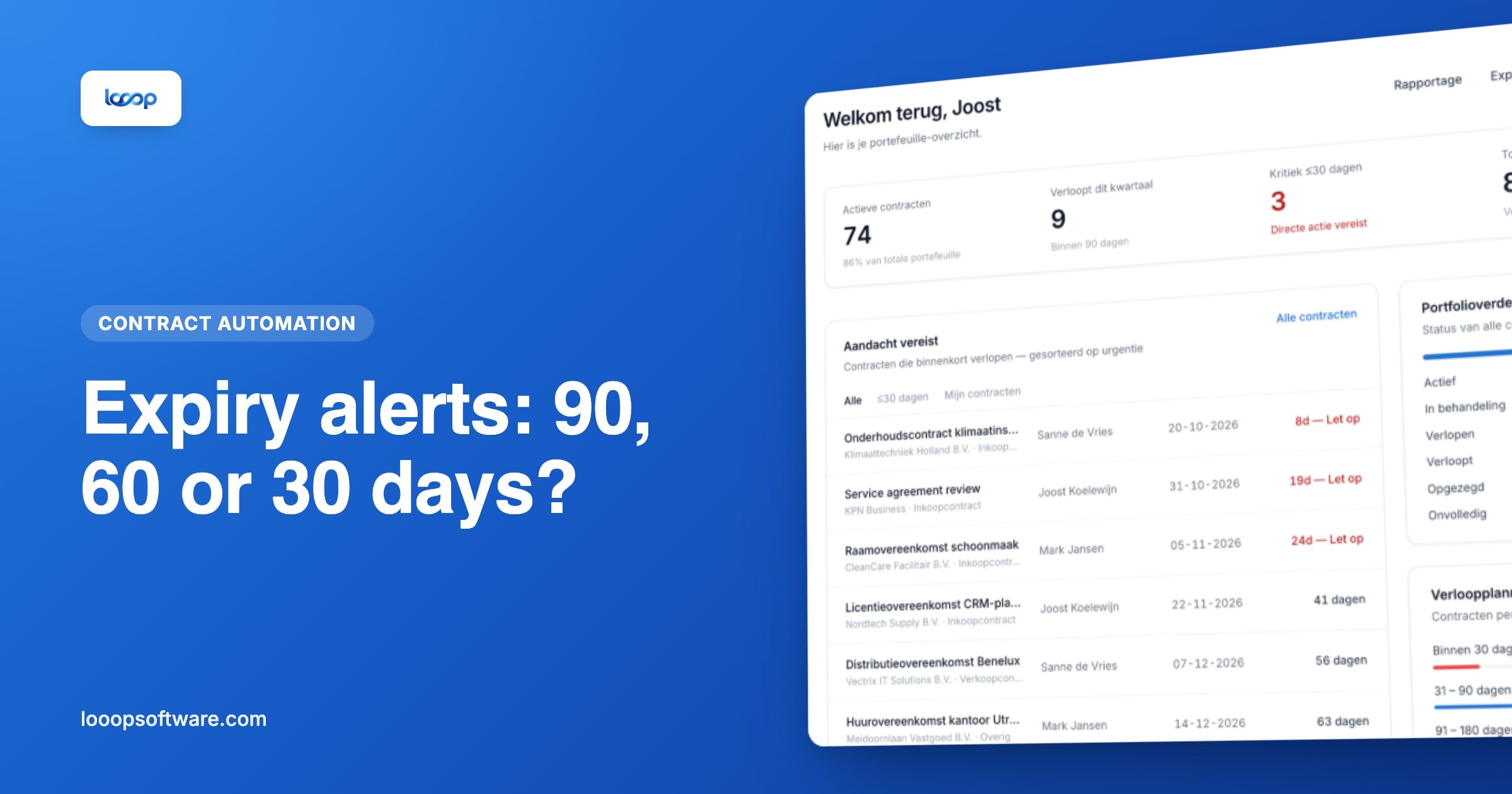
In Looop the alert follows from what you recorded on the contract: the end date, the notice period and the owner. Looop calculates the final notice date itself and sends alerts 90, 60, 30 and 7 days before it, plus a last reminder 7 days before the end date. That way you don't have to work it out per contract.
Around that:
- Tasks to capture the evaluation as an assignment with an owner, rather than an email that gets dismissed
- The dashboard with one view of what expires in the coming months, so you are not dependent on alerts alone
- Email integration so the supplier's termination confirmation lands on the contract record
- Reporting to see whether anything actually happens with expiring contracts
For procurement teams, this page shows what that looks like in practice.
Start with the contracts that hurt
You do not have to configure everything at once. Set alerts first on:
- Contracts with a notice period of three months or longer
- Contracts above an amount you cannot afford to miss
- Contracts that renew silently for a full year
That third one is the biggest source of unnecessary cost.
Frequently asked questions
- When should an expiry alert arrive?
- Before the notice deadline, not before the end date. A contract running until 31 December with three months' notice must be terminated by 30 September; an alert on 1 December is two months too late.
- How many days in advance do you want an alert?
- It depends on how long you need to be able to say no: 90 days for software and facilities, 60 days for telecoms and insurance, six months for vehicle fleets and framework agreements, and twelve months for an office lease.
- Why do several alerts work better than one?
- Each alert has its own purpose: at 90 days decide, at 60 days act, at 30 days check that the termination has been confirmed. One alert is one chance to miss it.