
A contract register in Excel is nothing to be ashamed of. It is where most organisations start, and a well-kept spreadsheet is far better than contracts scattered across inboxes and folders.
The problem is not Excel itself, but how most registers are set up. They record the end date. And that is exactly the wrong date.
Short answer: a useful Excel contract register records the end date, the notice period and an owner for each contract, and calculates the notice deadline from them. That is the date to act on: miss it and you are often locked in for another year. At the bottom of this article you can download our free template that does this automatically, including auto-renewals.
Why most Excel registers fail
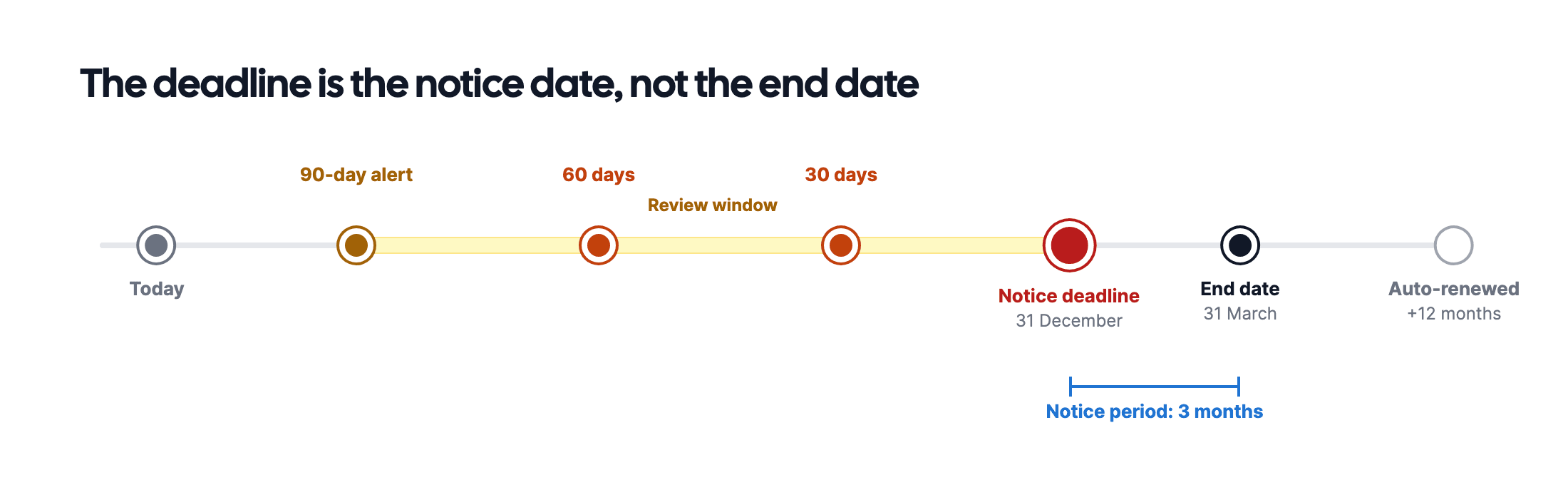
Almost every contract overview we see has an "end date" column. Almost none has a "notice deadline" column. Yet that is the only date on which you can still do something.
An example: a cleaning contract runs until 31 March with three months' notice. Look at the end date in February and you think you have plenty of time. But the notice deadline was 31 December. The contract renews automatically, and you are locked in for another year.
The three other classic mistakes:
- No owner per contract. "Procurement" is not an owner. A name is an owner.
- Auto-renewals not updated. The contract has renewed, but the register still shows the old end date. From then on, no calculation is right.
- No location. You know there is a contract, but not where the signed copy is. Then you cannot check the terms either.
Which columns do you need?
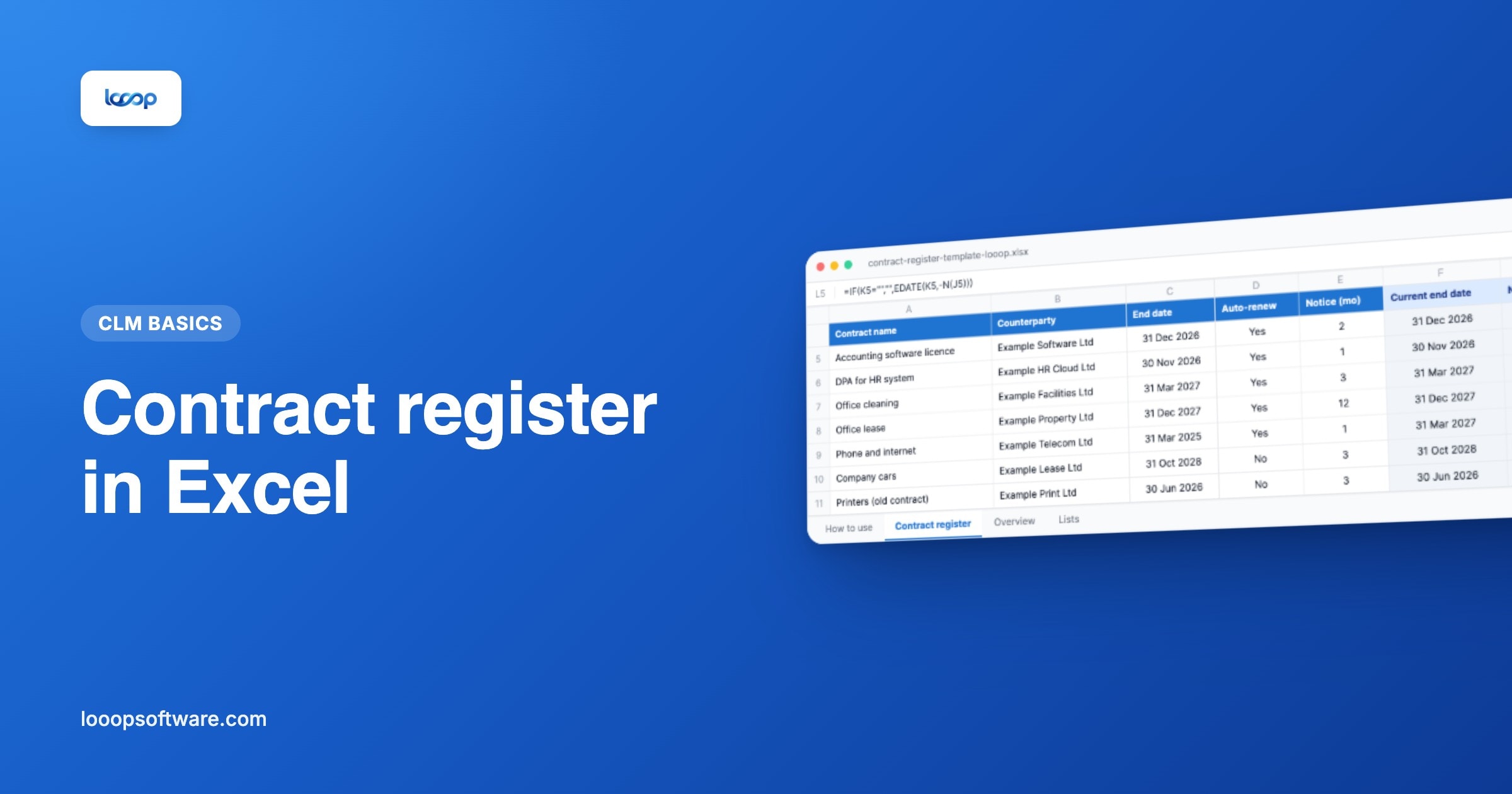
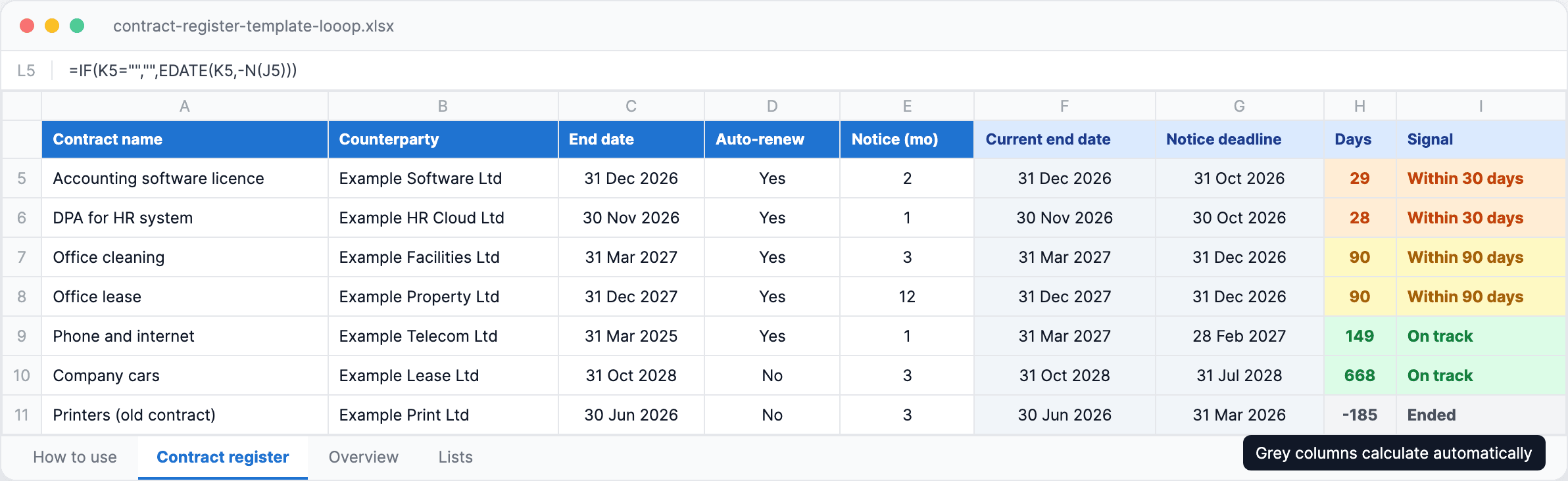
This is the structure we use in our template. You fill in the first ten columns; Excel calculates the rest.
| Column | Why |
|---|---|
| Contract name | Recognisable to everyone, not just the person who drafted it |
| Counterparty | So you see all contracts with one supplier together |
| Contract type | Supplier, SaaS, lease, data processing agreement… |
| Owner (internal) | One person who decides on renewal or termination |
| Start date and end date | As stated in the contract |
| Auto-renewal (yes/no) | Determines whether the contract continues after the end date |
| Renewal period | Usually 12 months, sometimes shorter |
| Notice period in months | Stated in days or weeks? Round up |
| Current end date | Calculated: rolls forward automatically on auto-renewal |
| Notice deadline | Calculated: current end date minus the notice period |
| Days to notice deadline | Calculated, for the signal colours |
| Annual value | To decide what to look at first |
| Where is the document | SharePoint folder, safe, email from… |
The formulas that do the work
In Excel the notice deadline is one line. With the end date in column G and the notice period in months in column J:
=EDATE(G5,-J5)
EDATE counts back whole months and handles short months properly: 31 March minus one month becomes 28 or 29 February.
The tricky part is auto-renewal. If the end date has passed and the contract renews automatically, you want to see the current end date, not the original one. Our template does that with:
=IF(AND(H5="Yes",G5<TODAY()),
  EDATE(G5,I5*(INT(DATEDIF(G5,TODAY(),"m")/I5)+1)),
  G5)
A phone contract that ended on 31 March 2025 and renews yearly therefore shows 31 March 2027 automatically. With one month's notice, the notice deadline becomes 28 February 2027.
Not keen on writing formulas? You don't have to. The template below has every formula ready for 250 rows. You only fill in the white columns.
Signal colours: when do you need to act?
A register you have to read through to see what is going on does not get used. So the template colours each row by the number of days to the notice deadline:
- Red (7 days or fewer): decide now, and give notice today if needed
- Orange (within 30 days): finish the review and make a decision
- Yellow (within 90 days): schedule the review, request quotes
- Green (more than 90 days): nothing to do
Why 90 days? Because a serious review with alternatives takes time. More on that in setting up expiry alerts: 90, 60 or 30 days?.
Free download
Contract register template for Excel
The register from this article, ready to use. Enter your contracts and the template works out the notice deadline for you.
- Calculates the notice deadline automatically
- Rolls auto-renewals forward
- Signal colours at 90, 30 and 7 days
- Overview of upcoming deadlines and contract value
The Overview tab
Next to the register, the template has an overview that updates itself:
- The ten upcoming notice deadlines, with contract, counterparty and owner
- The number of contracts per signal colour
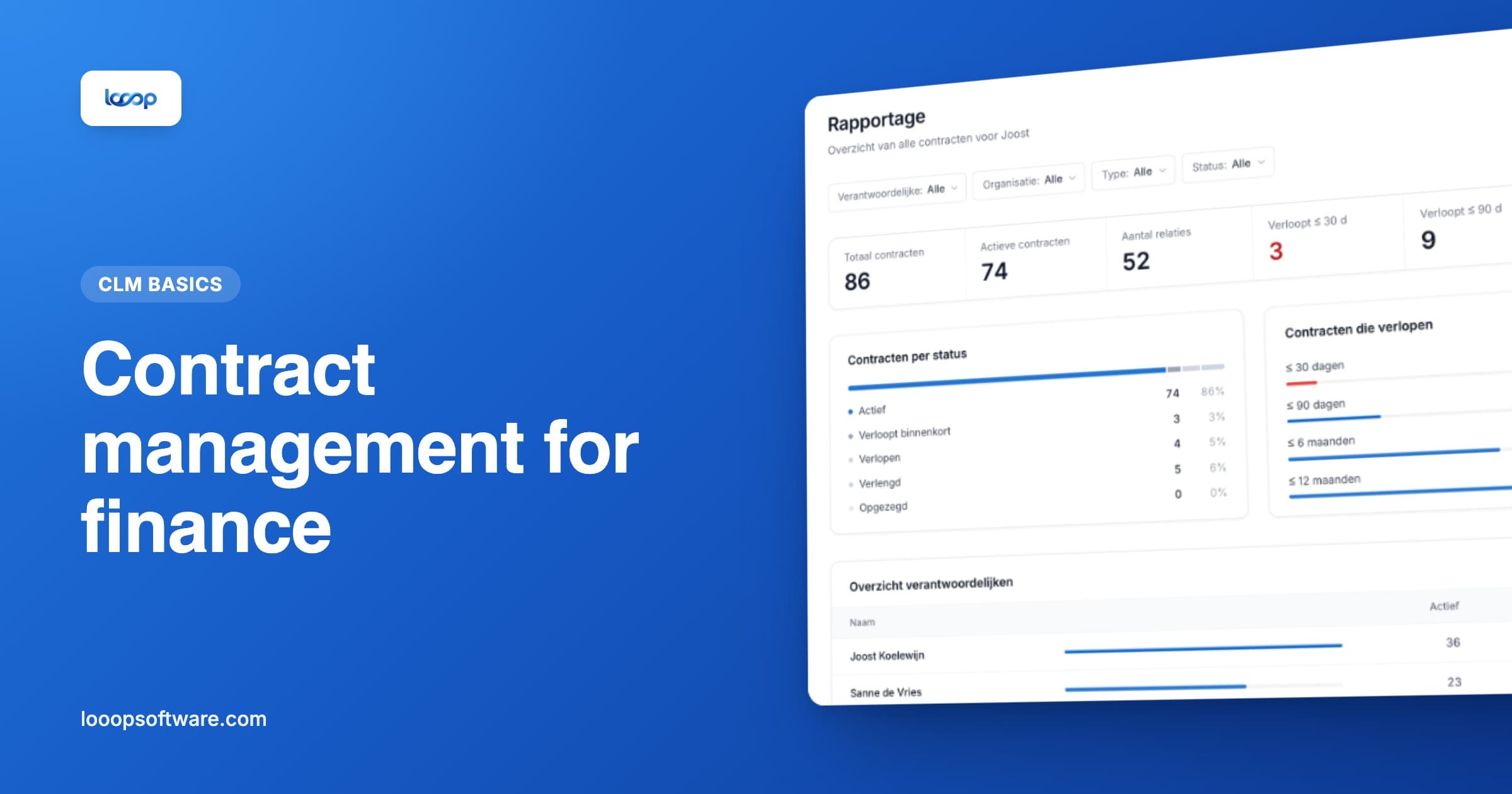
- The total annual value, and how much of it can be cancelled within 90 days
- Count and value per contract type
That figure, the annual value you can cancel soon, is the most useful one in practice. It tells you at a glance how much money is up for discussion in the next three months.
Where Excel stops
To be fair: this template gets you a long way. But a spreadsheet has limits that better formulas do not solve.
Excel does not warn you. The register knows there is a notice deadline in 29 days, but it tells nobody. You have to open the file. In a busy month that does not happen, and that is exactly the month it goes wrong.
One file, several people. As soon as procurement, finance and department heads all work in the same file, you get copies, overwritten rows and "who changed this?". Excel has no real audit trail.
The contract itself is elsewhere. The register points to a folder, but the terms, the renewal letter and the email announcing a price increase are kept separately. When in doubt, you still have to go looking.
Data entry is manual. Every new contract means opening the PDF, finding the terms and retyping them. Fine for a few contracts a year, not for a hundred in one inventory.
Approval and signing happen outside the register. Who was allowed to sign which contract, and whether that happened, is not recorded anywhere in one place.
Rule of thumb: stick with Excel while you have fewer than about thirty contracts and one person maintains the register. Beyond that, or once more owners are involved, the register costs you more time than it saves.
From Excel to contract management software
Looop takes over the manual work of this template, without anyone having to open a file:
- Expiry alerts 90, 60, 30 and 7 days before the notice deadline go to the contract owner by email automatically. Looop works that date out from the end date and the notice period, just like this template.
- NORA AI reads an uploaded contract and suggests the counterparty, term and notice period. An inventory of a hundred contracts becomes a matter of checking instead of retyping.
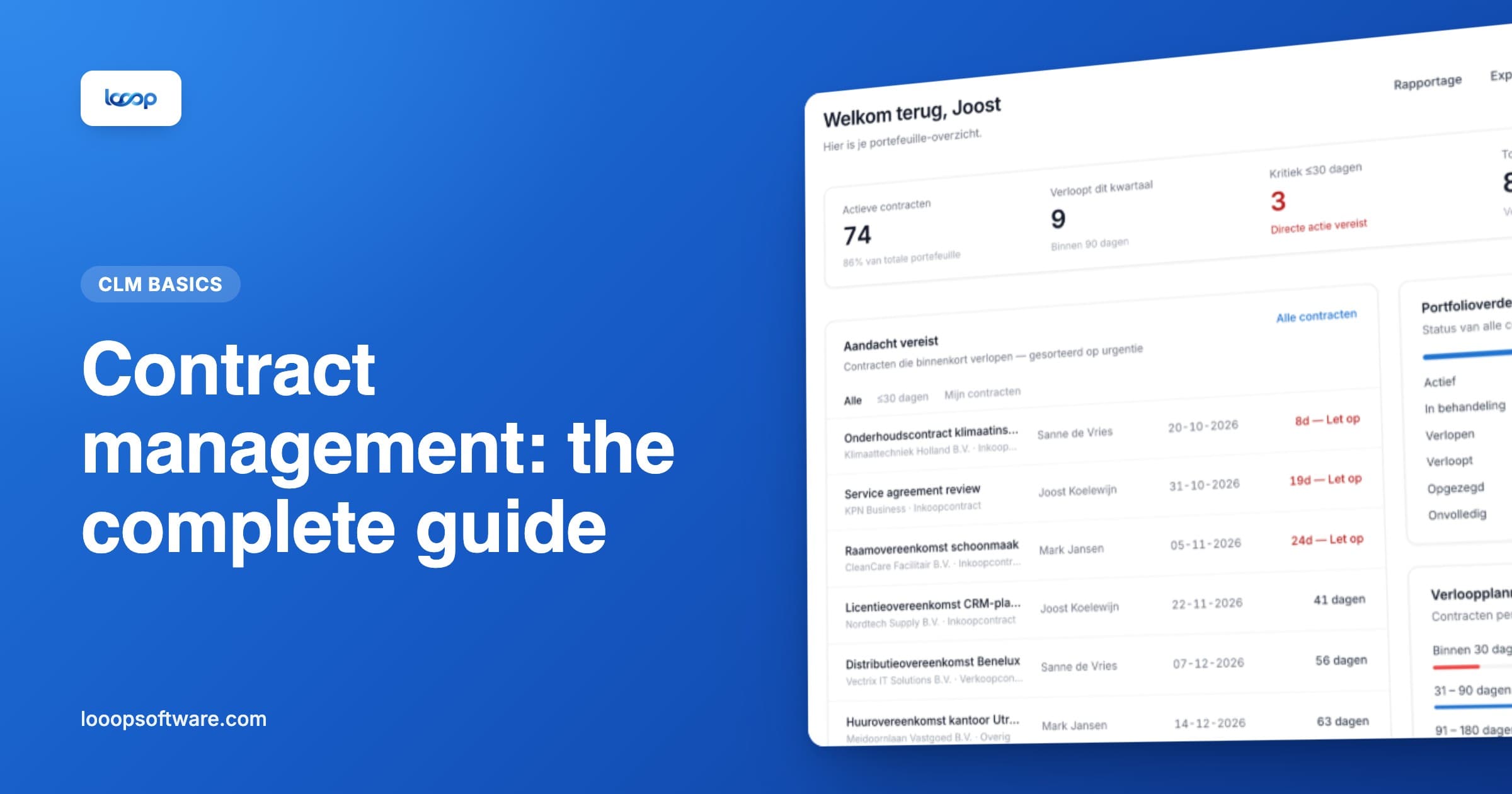
- The dashboard shows what expires in the coming months, sorted by urgency: the same as the Overview tab, but always up to date.
- Approval workflows and e-signing sit in the same environment, with a full audit trail.
- Email integration keeps renewal letters and price increases with the contract they belong to.
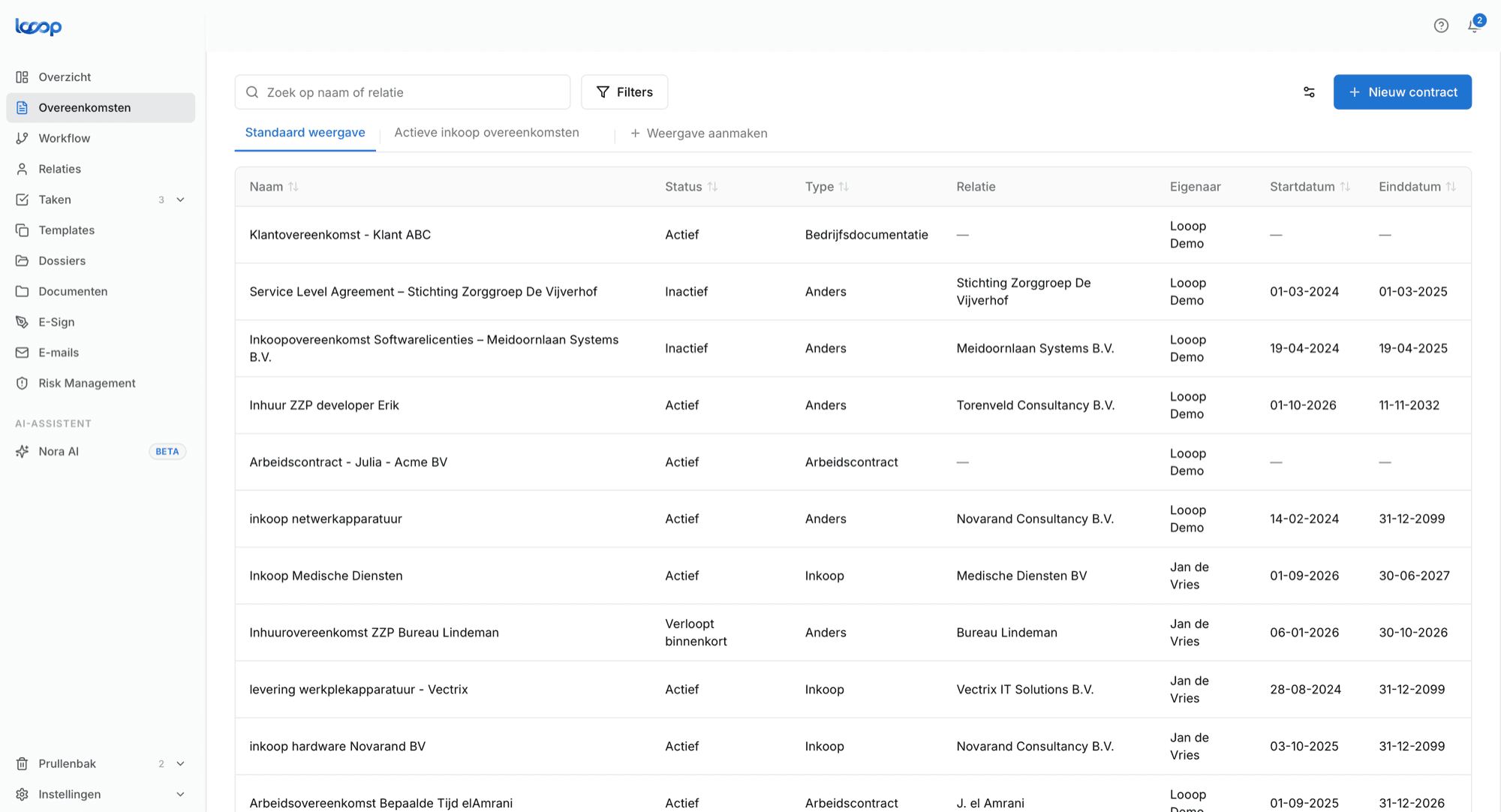
You don't have to throw away your Excel work. A well-filled register is the ideal starting point for a switch: Looop's bulk import moves an Excel or CSV file of your contracts across in one go, together with the documents themselves. For what it costs, read what does contract management software cost?.
Getting started in four steps
- Download the template above and delete the five example rows
- Start with your twenty largest contracts by annual value, not everything at once
- Look up the notice period for each contract, including in the general terms and conditions
- Block a fixed moment in your calendar, for example the first Monday of every month, to check the Overview tab
Want the whole approach, from request to renewal? Read contract management: the complete guide.
Frequently asked questions
- Can you manage contracts in Excel?
- Yes, up to around fifty contracts and as long as one person maintains the register. Record at least the end date, the notice period, the notice deadline and an owner for every contract. Excel will not warn you by itself, though: you have to open the file to see what is coming up.
- How do you calculate the notice deadline in Excel?
- With the EDATE function. If the end date is in G2 and the notice period in months is in J2, then =EDATE(G2,-J2) returns the last day you can give notice. Put that date in your calendar, not the end date.
- What should a contract register contain?
- At minimum: contract name, counterparty, contract type, internal owner, start and end date, notice period, whether the contract auto-renews and for how long, the annual value and where the signed document is kept. The notice deadline is calculated from those.
- When do you need contract management software?
- Once several people manage contracts, when you want alerts that reach the right person by themselves, or when an audit asks who approved what. For most organisations that tipping point lies somewhere between thirty and fifty active contracts.