
Every organisation does contract management. The only question is whether it happens deliberately, or depends on whoever happens to remember that the office lease ends next year.
This guide is for organisations in the second group that want to move to the first. Not a legal treatise, but a practical setup: what to record, who is responsible for what, and how to go from "somewhere in a folder" to a working process in ninety days.
Short answer: contract management is recording, monitoring and following up on every agreement your organisation makes with others. The foundation is a register with, for each contract, an owner, the term, the notice period and the resulting notice deadline. On top of that you build alerts, monitoring of obligations and a fixed way of working for new contracts.
What is contract management?
A contract is a promise about the future: we deliver this, you pay that, until that date, under those terms. Contract management makes sure you don't forget those promises, both the other party's and your own.
In concrete terms, it is about four questions you should be able to answer about any contract at any time:
- What did we agree? Price, term, performance, conditions.
- Where is it? The signed copy, plus every change since.
- Who is responsible? One person who decides, not "the department".
- When do we need to act? Terminate, index, review, renew.
Can you answer those four questions for your ten largest contracts within a few minutes? Then the basics are in place. If not, this article is for you.
Contract administration or contract management?
The terms are used loosely, but there is a useful distinction. Contract administration is the record-keeping side: registering, storing and tracking deadlines. Contract management goes further and steers on content: is the supplier delivering what was agreed, what do we negotiate at renewal, which risks are we running?
You cannot do contract management without contract administration. If you don't know which contracts are running, you can't steer them either. So start with the administration; the rest builds on it.
Why it goes wrong without it
The damage from poor contract management is rarely spectacular. It is a sum of small leaks:
- Unwanted auto-renewals. A software licence nobody uses any more renews for another year because the notice deadline was not in anyone's calendar.
- Missed indexation. You are allowed to index the price every year, but nobody does. Or the supplier indexes with the wrong index, and nobody checks.
- Unknown obligations. An SLA with a penalty clause you never invoke, because nobody knows it exists.
- Searching. Every question from the auditor, every dispute and every acquisition starts the search all over again.
- Compliance risk. Data processing agreements that are missing or outdated, while the supplier is processing personal data.
You can calculate what this costs your organisation with our ROI calculator. The article what is the ROI of contract management software? walks through each item.
The contract lifecycle in six steps
Contract management does not start at the signature. The choices you make before signing determine how easy managing the contract is afterwards.
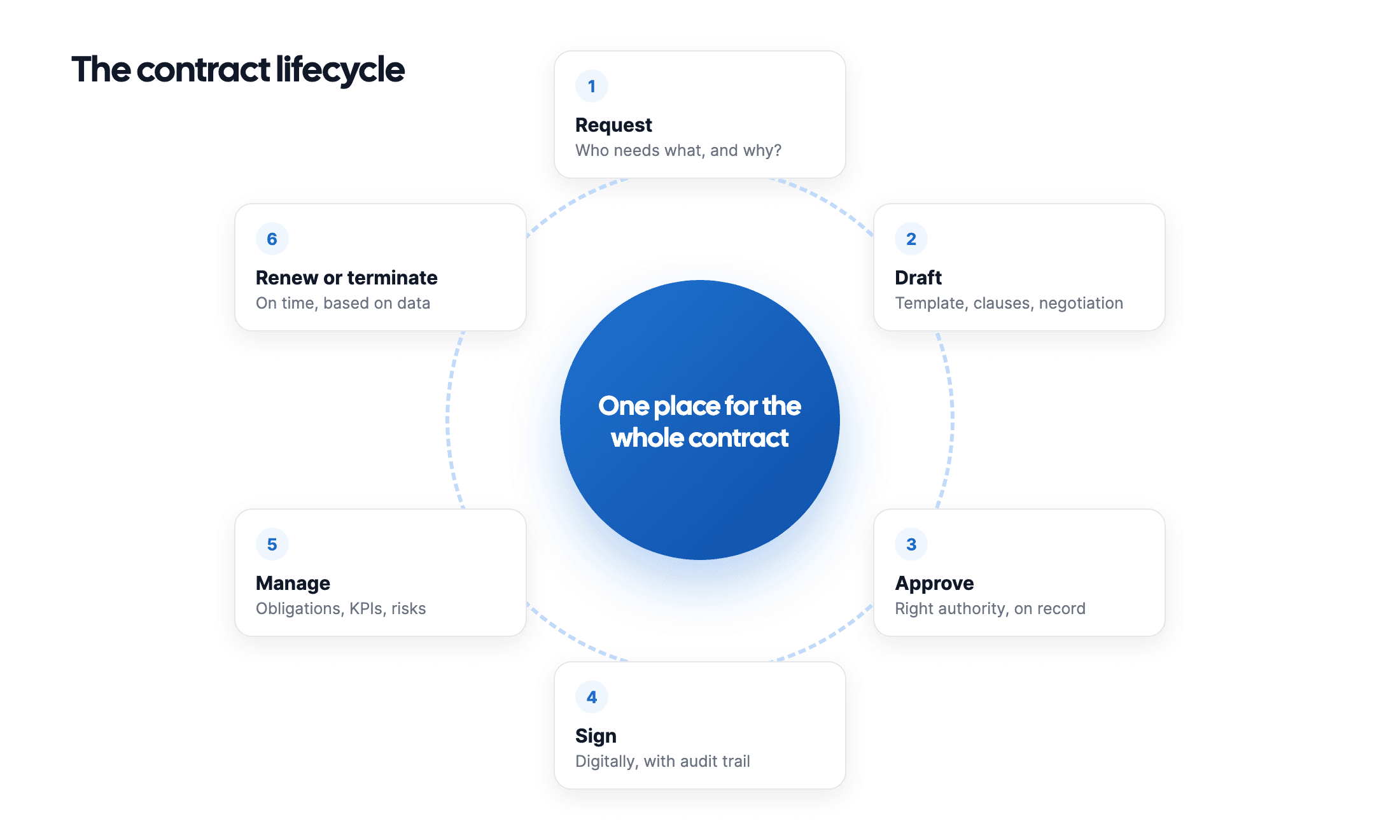
- Request. Someone needs something. Record what, why and who the budget holder is. That budget holder usually becomes the owner later.
- Draft. Preferably from your own template with the clauses you want as standard, not from the supplier's draft.
- Approve. Who may sign which amount? Record the authority levels and make sure they are demonstrably followed. See setting up approval workflows.
- Sign. Digital is faster and gives you an audit trail. Under the EU eIDAS regulation, an electronic signature cannot be refused as evidence simply because it is electronic.
- Manage. The contract is in the register, with owner, deadlines and obligations. Alerts go out on time.
- Renew or terminate. A deliberate choice, based on how the contract has performed, well before the notice deadline.
How to speed up those steps without losing control is covered in automating your contract process.
Roles: who does what?
The most common failure in contract management is not technical but organisational: nobody really owns the contract. Two roles are enough to fix that.
| Role | Responsible for | Usually |
|---|---|---|
| Contract owner | Decides on renewal, termination or renegotiation. Judges whether the supplier delivers. | Budget holder or head of department |
| Contract manager | Looks after the register and the process. Makes sure new contracts are added and alerts go out. | Procurement, finance, legal or office management |
In small organisations these are sometimes the same person. That's fine, as long as it is explicit. What doesn't work: a shared mailbox, "the board" or "IT" as the owner of a contract.
Lawyers don't need to be involved in every contract. A good process actually ensures they only see the contracts that need their attention. More on that in legal tech for non-lawyers.
The contract register: what to record
The register is the heart of contract management. Keep it small: ten fields that are always filled in beat thirty that stay half empty.
At minimum, for each contract:
- Contract name and counterparty
- Contract type (supplier, customer, lease, SaaS, data processing agreement…)
- Owner
- Start date, end date and renewal terms
- Notice period and the resulting notice deadline
- Annual value
- The signed document, or at least where it is kept
Then, for the most important contracts:
- Indexation clause and the index that applies
- Key obligations and KPIs (an SLA, for example)
- Whether personal data is processed, and if so: is there a data processing agreement?
- Retention period after expiry
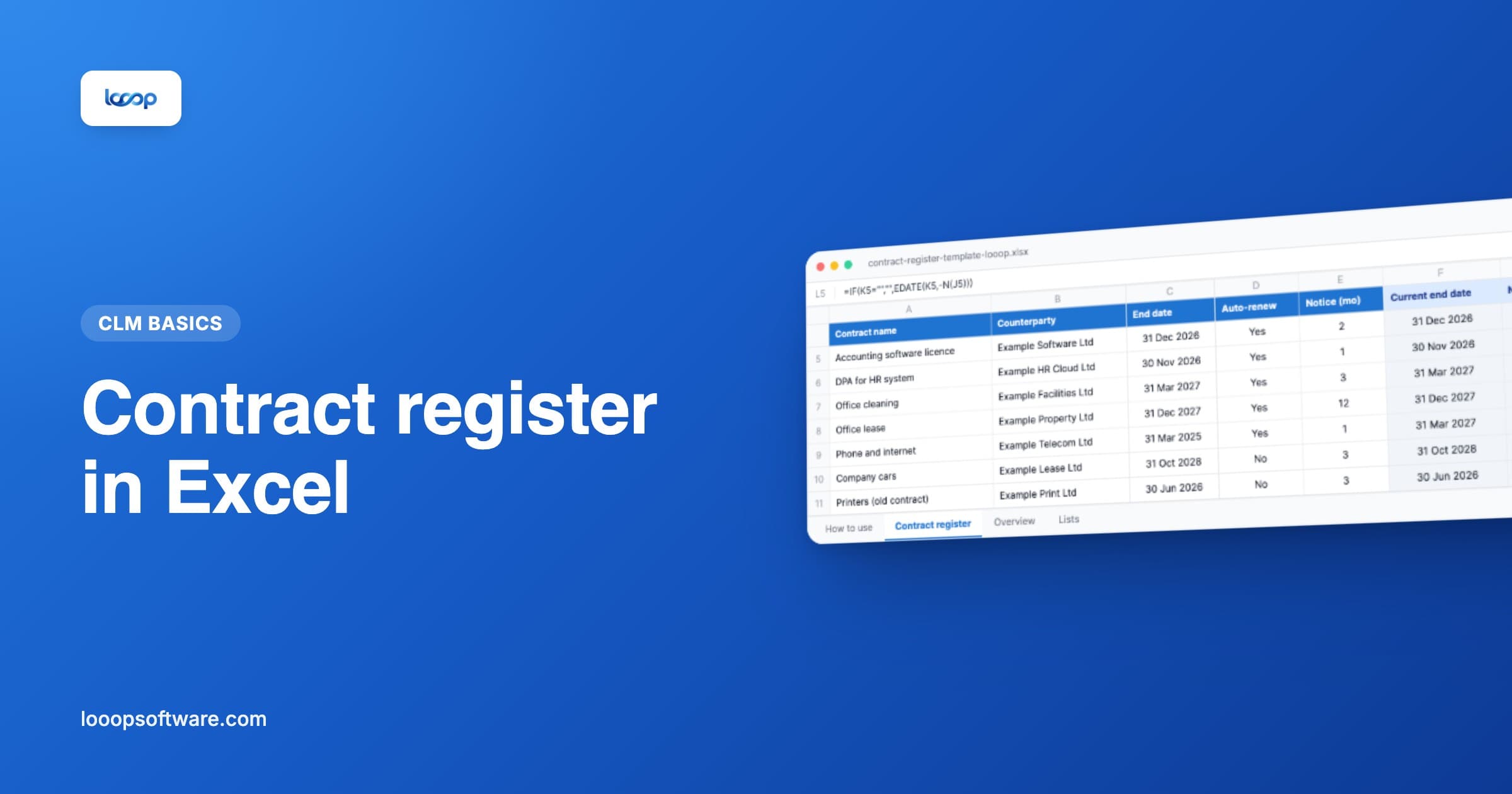
Starting from scratch? Download our free contract register template for Excel. It works out the notice deadline for you and rolls auto-renewals forward automatically.
Tracking deadlines: the notice deadline
If you remember one thing from this guide: act on the notice deadline, not on the end date. A contract running until 31 March with three months' notice must be terminated by 31 December at the latest. If you look at the end date in February, you are too late.
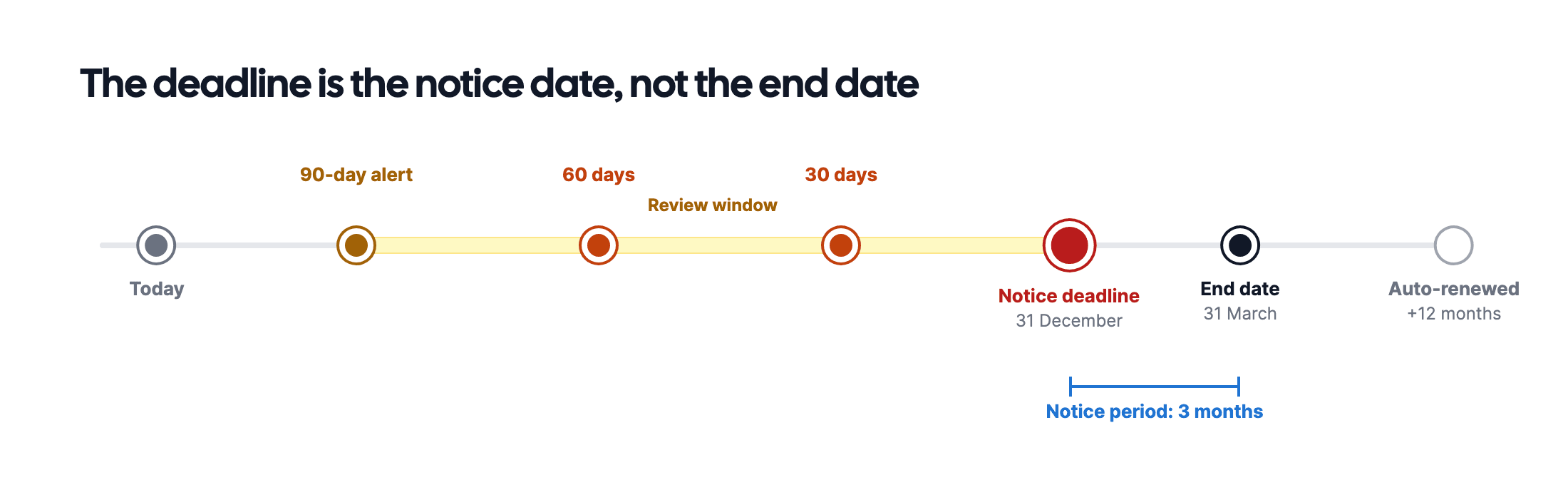
A workable rhythm:
- 90 days before the notice deadline: schedule the review. Is the supplier performing? Is there an alternative? Do you want to renegotiate?
- 30 days before: make the decision.
- 7 days before: final warning. Termination has to happen now, in writing and with proof.
Why these particular moments is explained in setting up expiry alerts: 90, 60 or 30 days?.
Obligations, performance and risk
After the register and the deadlines comes the step from administration to management: checking whether the contract does what it promises.
- Obligations. What must the other party do, and what must you do? Think of reports, inspections, insurance or an annual price review. Set recurring obligations as a task on the contract, with an owner and a deadline.
- Performance. For contracts with an SLA or KPIs: measure them, and record deviations. When renegotiating at renewal, that data is gold.
- Risk. Which contracts are critical to the business? Where is there a high penalty clause or one-sided liability? A simple estimate of likelihood and impact per contract helps you set priorities.
Worked out in detail in monitoring SLAs and KPIs in supplier contracts and mapping contract risk with a risk matrix.
Compliance: retention, privacy and information security
Contract management touches on laws and regulations in three places that are often underestimated:
- Retention periods. In the Netherlands, the tax retention obligation is seven years, but other periods apply to some contracts. Record per contract how long it must be kept after it ends.
- GDPR. If a supplier processes personal data on your behalf, a data processing agreement is mandatory under Article 28 GDPR. Keep it with the main contract and check it at every renewal.
- Information security. If you are working towards ISO 27001, you need to show that security arrangements with suppliers are recorded and monitored.
Four levels of maturity
Where does your organisation stand? Most recognise themselves straight away in one of these four levels.
| Level | What it looks like | The biggest risk |
|---|---|---|
| 1. Scattered | Contracts in inboxes, on drives and in cabinets. Nobody has an overview. | You don't know what you don't know |
| 2. Stored centrally | One folder or SharePoint site with all contracts. | Everything is there, but nobody sees when something expires |
| 3. Registered | A register (often Excel) with deadlines and owners. | Depends on the one person who maintains it |
| 4. Managed | A system with automatic alerts, workflows and an audit trail. | Low: the process keeps running when someone is on holiday |
Going from level 1 to 3 is mostly a matter of discipline and can be done with a spreadsheet. The difference between 2 and 4 is explained in contract management versus document management.
Plan: the first 90 days
Don't try to do everything at once. This order works.
Days 1 to 30: take stock
- List every recurring payment in last year's accounts. Each recurring payment is a contract, even if nobody calls it one. A full step-by-step plan is in a contract inventory in 5 steps.
- Find the contract for the twenty largest and fill in the register.
- Assign an owner to each contract, and have that owner confirm it.
Days 31 to 60: monitor
- Calculate the notice deadline for every contract.
- Set alerts 90 and 30 days before that date, for the owner.
- Add the remaining contracts to the register, in order of annual value.
Days 61 to 90: embed
- Agree that no new contract is signed unless it is in the register.
- Record signing authority: who may sign up to which amount?
- Schedule a fixed monthly moment to go through the upcoming notice deadlines.
After ninety days you have reached level 3. The step to level 4 is then mainly a matter of handing over the manual work.
Software: when, and which?
Software is not a precondition to get started, but it becomes one as soon as:
- several people manage contracts and you need a single source of truth;
- you want alerts that reach the right owner by themselves;
- you want approvals and signatures recorded in a way you can prove;
- you want to find everything within minutes during an audit, acquisition or dispute.
Which types of software exist and what to look for is covered in what is CLM software? and choosing contract management software. An honest comparison of eight tools on the Dutch market is in contract management software compared, and costs in what does contract management software cost?.
How Looop helps
Looop is built around exactly the approach in this guide:
- One contract register with owner, deadlines and the document itself, not just a reference to it.
- Expiry alerts 90, 60, 30 and 7 days before the notice deadline to the owner, automatically.
- NORA AI reads uploaded contracts and suggests the counterparty, term and notice period. That saves the most work during an inventory.
- Approval workflows and e-signing in the same environment, with an audit trail.
- Tasks and risk management per contract for obligations, KPIs and risks.
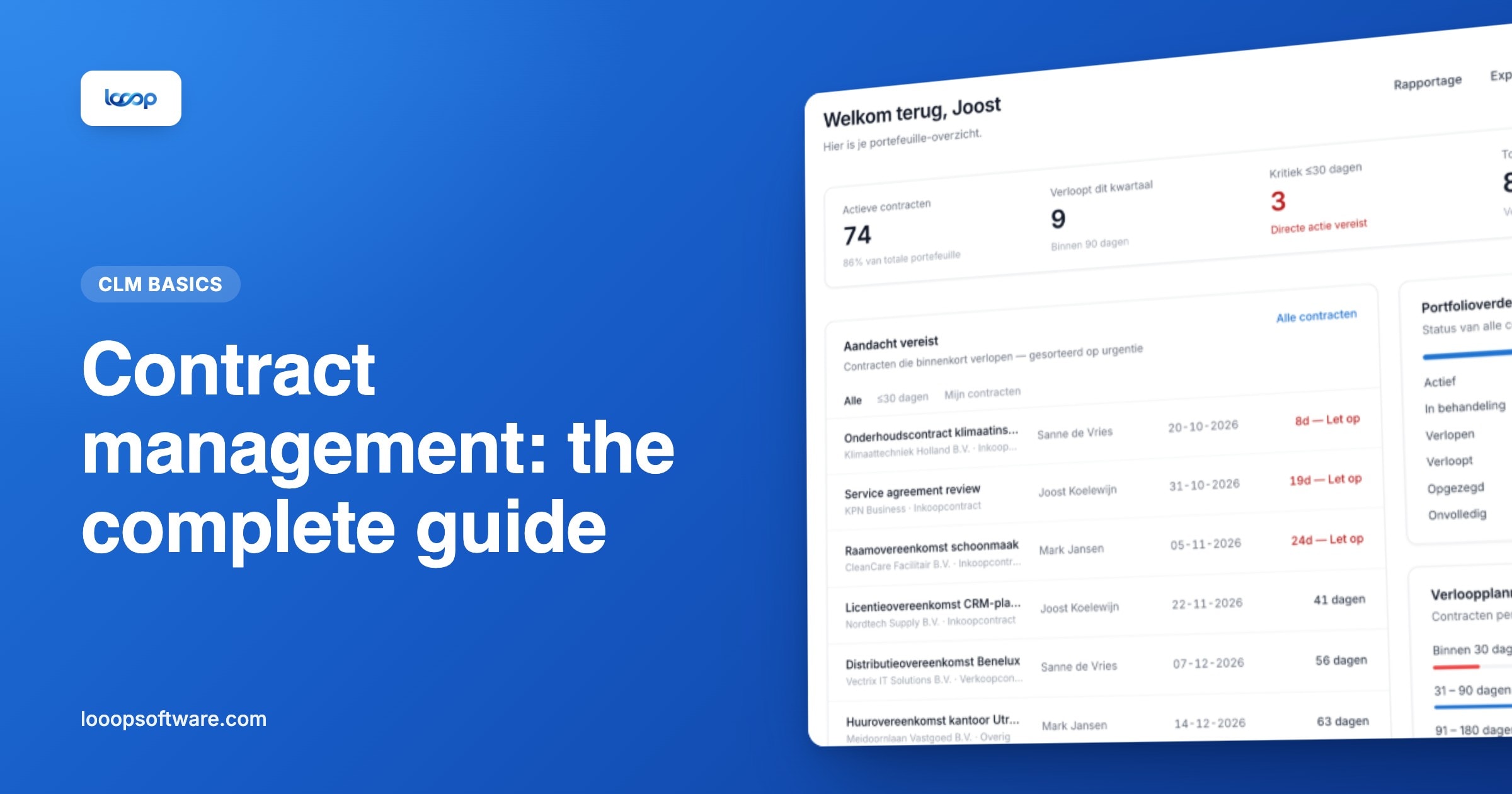
- Reporting across your whole portfolio.
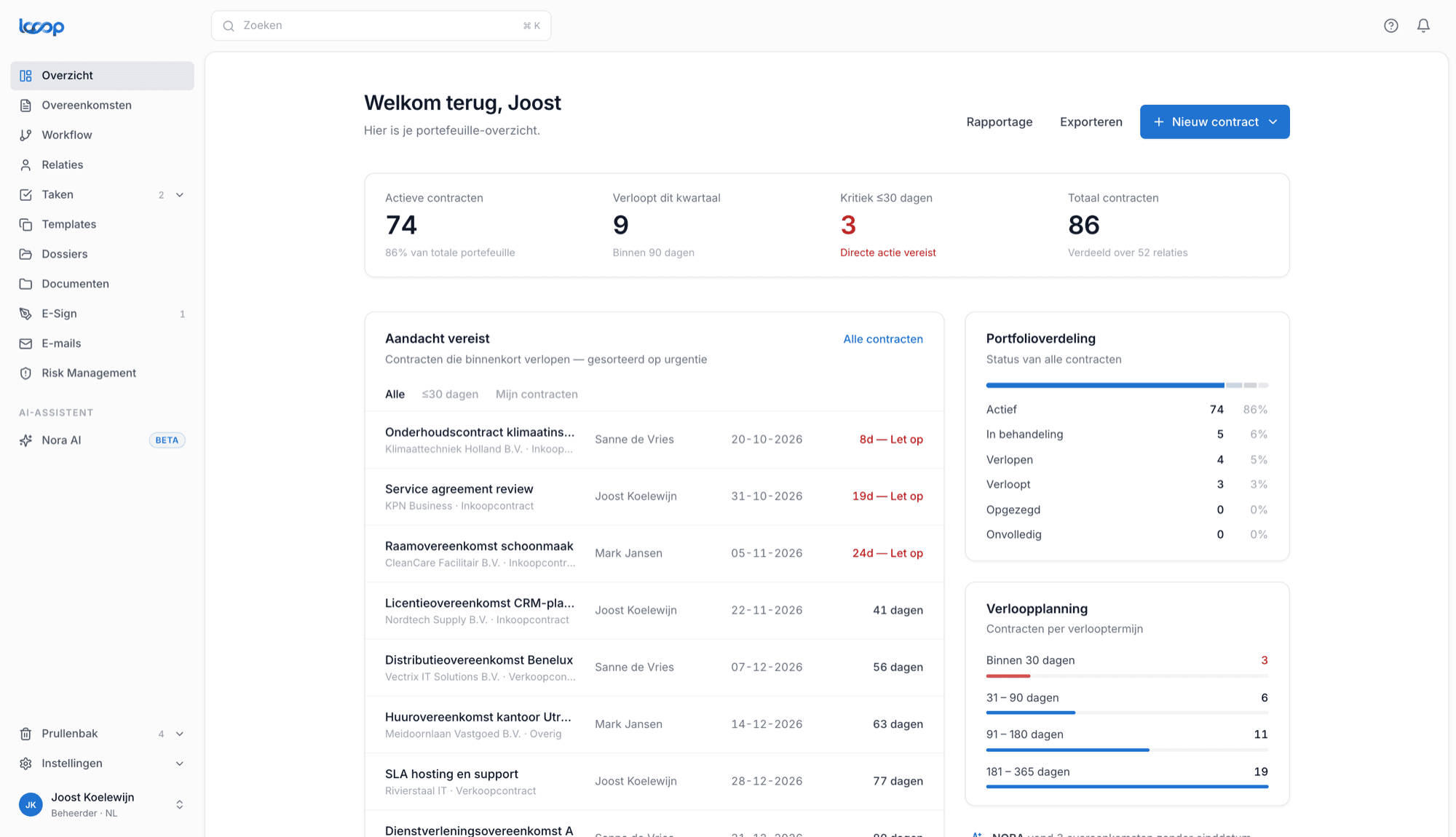
Looop is built in the Netherlands. The interface and NORA work in Dutch and English, and you don't need a months-long implementation project to get started.
Frequently asked questions
- What is contract management?
- Contract management is recording, monitoring and following up on every agreement your organisation makes with others: suppliers, customers, leases, data processing agreements and more. The goal is that you always know what was agreed, who is responsible and when something needs to happen.
- What is the difference between contract administration and contract management?
- Contract administration is the record-keeping side: registering, storing and tracking deadlines. Contract management is broader and also covers steering on content: supplier performance, negotiating at renewal and limiting risk. In practice the terms are often used interchangeably.
- Who is responsible for contract management?
- Every contract needs one owner who decides on renewal or termination, usually the budget holder. Next to that, someone looks after the process and the register, often in procurement, finance or legal. Without those two roles, contract management comes down to whoever happens to remember.
- How many contracts does an average organisation have?
- Far more than people expect. Besides the familiar supplier contracts there are SaaS subscriptions, leases, insurance, data processing agreements and NDAs. An organisation of fifty people quickly finds dozens to more than a hundred active agreements in an inventory.
- Do you need software for contract management?
- Not to get started: a well-structured Excel register is enough for your first thirty contracts. Software becomes necessary when several people manage contracts, when you want automatic alerts to the right owner, or when you need to prove in an audit who approved what.