
Many organisations still manage their contracts with Excel lists, shared folders and email threads. That works until it doesn't: a missed notice period, a contract nobody can find, or an audit where the search begins.
Moving to contract management software is then a logical step, but the choice is hard. The tools look alike on paper, while they are built for very different organisations. This article helps you choose.
Short answer: choose on seven criteria: how easily contracts get into the register, whether alerts are based on the notice deadline, whether signing is built in, whether there are approval workflows, how security and GDPR are handled, whether non-lawyers can use it, and what the total cost over three years is. Compare three tools with your own contracts in a demo, and use the scorecard below.
Before you start: three questions
Don't start with features, start with your own situation.
- What problem do you want to solve? Missed notice periods call for something different than a slow approval process or a lack of overview for management.
- Who will use it? Only procurement or legal, or also budget holders and department heads? That determines how important ease of use and per-user pricing are.
- How many contracts do you have, and of what kind? Twenty supplier contracts or five hundred contracts across several entities. Not sure? Read contract management: the complete guide first.
Criterion 1: a register that's easy to fill
The foundation of every system is a central, searchable register. But what matters most isn't how the register looks, it's how your contracts get into it. In an inventory of a hundred contracts, the difference between retyping and checking is days of work.
- All contract types (supplier, customer, lease, HR, data processing agreements)
- AI that suggests parties, term and notice period on upload
- Bulk import from an existing Excel register
- The signed document itself in the register, not just a reference
- Linking emails and correspondence to the contract
- Exporting your data, including if you ever leave
How good AI is at this and where its limits lie: AI in contract management: what it can and can't do.
Criterion 2: alerts based on the right date
A missed notice period can cost you thousands. Almost every system offers alerts, but quality varies a lot. The key question: does the system work with the notice deadline, or only the end date?
Good expiry alerts:
- go out before the notice deadline, not before the end date;
- reach the owner of the contract, not a general inbox;
- come at several moments, for example 90, 60 and 30 days before;
- take auto-renewal into account, so the next term is monitored automatically.
Why those moments: setting up expiry alerts: 90, 60 or 30 days?.
Criterion 3: built-in e-signing
Printing, signing, scanning and emailing takes days. E-signing is faster and gives you an audit trail, and under the EU eIDAS regulation an electronic signature cannot be refused as evidence simply because it is electronic.
Ask every vendor:
- Is signing built in, or do you need a separate tool such as DocuSign?
- Is it unlimited, or does it work with credits per plan?
- Can external parties sign without an account?
- Does the signed document come back to the register automatically?
Criterion 4: approval workflows
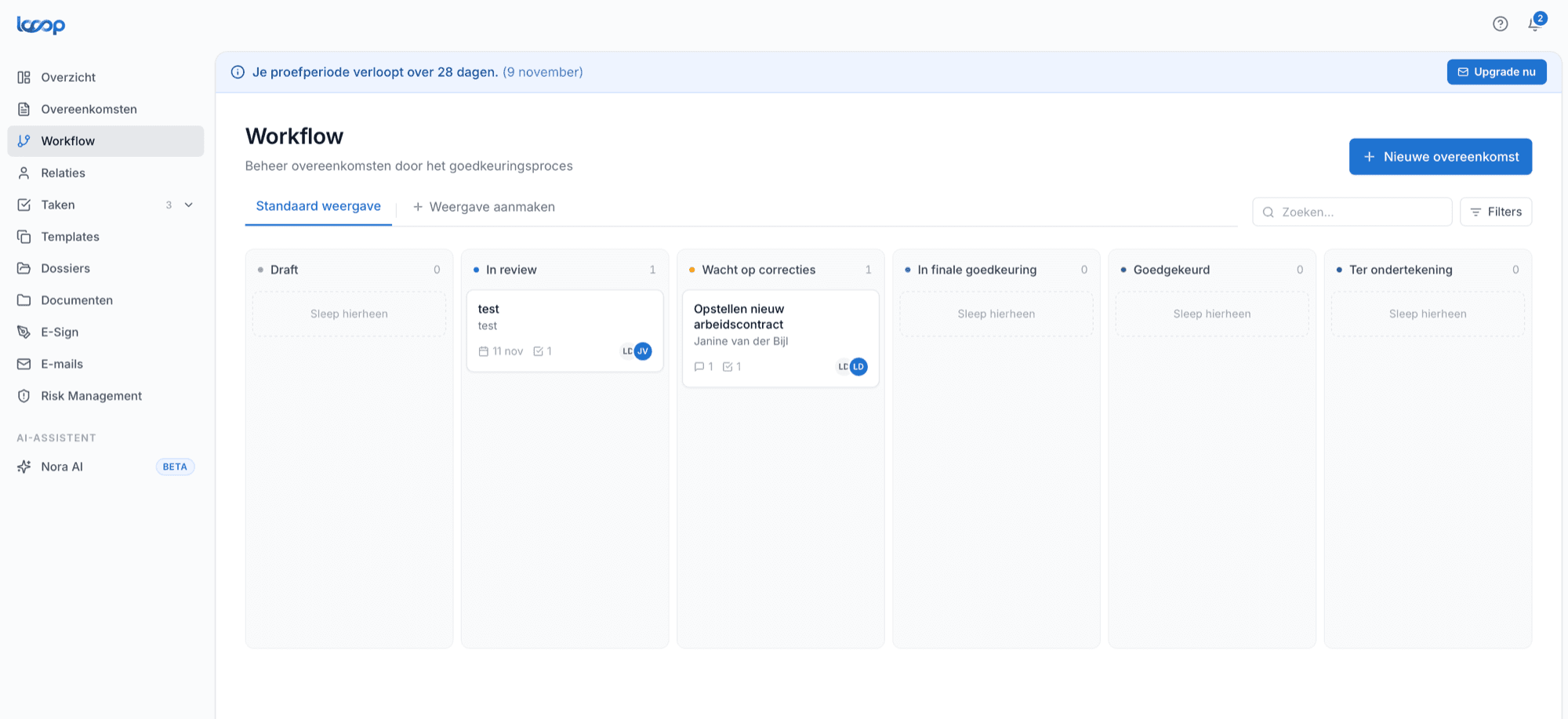
As soon as more than one person closes contracts, you want to record who may approve what. A good system enforces that without creating bureaucracy.
- Approvers in a fixed order, or in parallel
- Automatic reminders when someone doesn't respond
- An audit trail: who approved when
- Different routes per contract type or amount
How to set up such a workflow without slowing things down: setting up approval workflows for contracts.
Criterion 5: security and GDPR
Contracts contain sensitive business and personal data. A vendor that manages your contracts is a data processor itself. So ask:
- Where is the data stored and who has access to it?
- Is a data processing agreement available?
- Can you control per role and department who sees which contracts?
- Is there a record of who changed or approved what?
- Can files only be opened via temporary, secure links?
- Which certifications or security commitments can the vendor demonstrate?
Criterion 6: usable by non-lawyers
A system that is too complicated doesn't get used. And if budget holders don't look at it, contract management stays stuck with one person.
Test it concretely: ask someone who doesn't know the system to add a contract and set an alert. If they can't do it within a few minutes without explanation, it's too complex for the people who need to use it every day. More in legal tech for non-lawyers.
Criterion 7: total cost over three years
Prices range from around €50 a month to €15,000 a year or more. Don't compare the monthly price; compare the total cost over three years:
- licence per plan or per user, and what the next user costs;
- separate fees or credits for signing and AI;
- implementation and moving existing contracts across;
- term and notice period of the software contract itself.
An overview of what vendors charge: what does contract management software cost?. And what it delivers: calculating the ROI in four steps.
The scorecard
Score each tool from 1 to 5 on each criterion and multiply by the weight. Adjust the weights to your own situation: if you have few contracts but many external signatures, criterion 3 weighs more.
| Criterion | Weight | Tool A | Tool B | Tool C |
|---|---|---|---|---|
| 1. Register and data entry | 3 | |||
| 2. Alerts on the notice deadline | 3 | |||
| 3. E-signing | 2 | |||
| 4. Approval workflows | 2 | |||
| 5. Security and GDPR | 2 | |||
| 6. Usable by non-lawyers | 2 | |||
| 7. Total cost over three years | 3 | |||
| Total |
Ten questions for the demo
Bring your own contracts, preferably a few awkward ones. And ask these questions:
- Show me how this PDF gets into the system. What do I need to fill in myself?
- This contract auto-renews. How does the system see that, and when do I get an alert?
- The notice period is in the general terms, not the contract. What then?
- Who gets the alert if the owner leaves the company?
- How does an external party sign, and what do they see?
- What does an approval with two approvers look like?
- What does this cost with ten users in year three?
- Are there limits on signatures or AI analyses?
- How do I get my existing Excel list in?
- How do I get all my data out if I ever leave?
An honest comparison of eight tools on the Dutch market, with who they are for and what they cost, is in contract management software compared.
How Looop scores on these criteria
We make Looop ourselves, so keep that in mind. But we built Looop around exactly these criteria:
- Register and data entry: NORA AI suggests the counterparty, term and notice period on upload, with the source passage from the contract. You can import an existing Excel register in one go.
- Alerts: expiry alerts 90, 60, 30 and 7 days before the notice deadline, which Looop calculates from the end date and notice period, to the contract owner.
- Signing: built in, unlimited, in every plan. External parties sign without an account.
- Workflows: approval workflows with an audit trail.
- Security: roles and permissions per department and office, files only via temporary secure links. More on our security page.
- Ease of use: built for procurement, finance and office management, not just for lawyers.
- Cost: available from €59 a month, with signing, NORA AI and KPI monitoring in every plan. The price is tailored to your organisation and number of users; see the pricing page.
Want to see Looop with your own contracts? In 30 minutes we walk through these criteria with you. If Looop isn't a fit, we'll tell you.
Frequently asked questions
- What should you look for in contract management software?
- Seven things: a central register that makes it easy to get contracts in, automatic alerts based on the notice deadline, built-in e-signing, approval workflows, security and GDPR, usability for non-lawyers and the total cost over three years.
- How many tools should you compare?
- Three is enough. First make a shortlist based on your main problem and budget, then ask those three for a demo using your own contracts, and score them on the same criteria.
- Which questions should you ask in a demo?
- Ask them to show how a messy PDF gets into the system, how an auto-renewal is detected, who gets the alert, how an external party signs and what it costs with ten users in year three. Also ask how you get your data back if you leave.
- How long does it take to implement contract management software?
- With light and mid-range tools you are operational within a few weeks; most of the work is gathering the contracts. With broad legal platforms, an implementation project of several months is common.